ℹ️ Pro Tip: For accurate results, use a flat mouse pad, move the mouse in a straight line, and keep your hand steady. Test 2-3 times for average values!
Detecting mouse information...
What is a Mouse DPI Tester & Why Use It?
DPI (Dots Per Inch) measures how far your mouse cursor moves per inch of physical mouse movement. This free online tool lets you accurately test your mouse's real DPI – no software installation needed. Perfect for gamers, designers, or anyone who wants precise mouse control.
What Does This Tool Do?
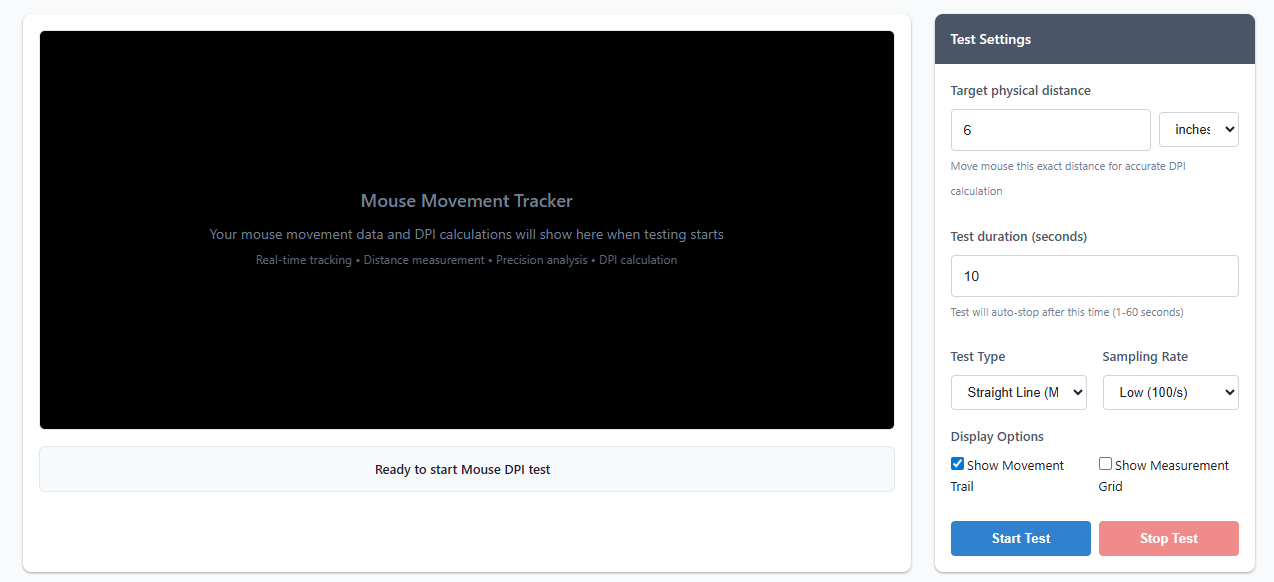
Our DPI tester tracks every pixel your mouse moves, calculates the physical distance (based on your input), and gives you real-time data on:
- True DPI Value: Exact sensitivity of your mouse (no more guessing!)
- Precision Analysis: How straight/consistent your mouse movements are
- Consistency Check: Whether DPI stays stable across different movement speeds
- Multi-Point Sampling: Average DPI across multiple movement segments
How to Use the Mouse DPI Tester
- Prepare Your Setup: Place your mouse on a flat mouse pad (avoid glossy surfaces) with enough space to move
- Set Target Distance: Choose how far you'll move the mouse (6 inches / 15 cm is recommended for accuracy)
- Select Test Type: Pick the test mode that fits your needs (Straight Line is best for baseline DPI)
- Start Testing: Click "Start Test", then move your mouse from the blue target to the edge of the test area in a straight line
- Check Results: View real-time DPI, precision score, and consistency data – repeat 2-3 times for average values
Test Types Explained
- Straight Line: Most accurate for measuring true DPI – move mouse in a straight line for set distance
- Precision Check: Tests small, quick movements (ideal for gamers needing pixel-perfect aim)
- Speed & Consistency: Verifies if DPI stays stable at slow/fast movement speeds
- Multi-Point Sampling: Takes multiple DPI readings across different distances for a complete picture
💡 Gamer Tip: Most competitive gamers use 800-1600 DPI for balanced speed and precision. Test each DPI preset on your gaming mouse to find your sweet spot!
Get Accurate Results: Important Tips
⚠️ - Use a Mouse Pad: Glossy/reflective surfaces interfere with optical sensors – stick to a matte mouse pad
- Move Slowly & Steady: Jerky movements will skew DPI calculations
- Disable Mouse Acceleration: Turn off OS-level mouse acceleration (Windows/macOS) for true DPI readings
- Clean Your Sensor: Dust/debris on the mouse sensor can cause tracking errors
- Test Multiple Times: Average 2-3 tests (small variations are normal)
Understanding Your Results
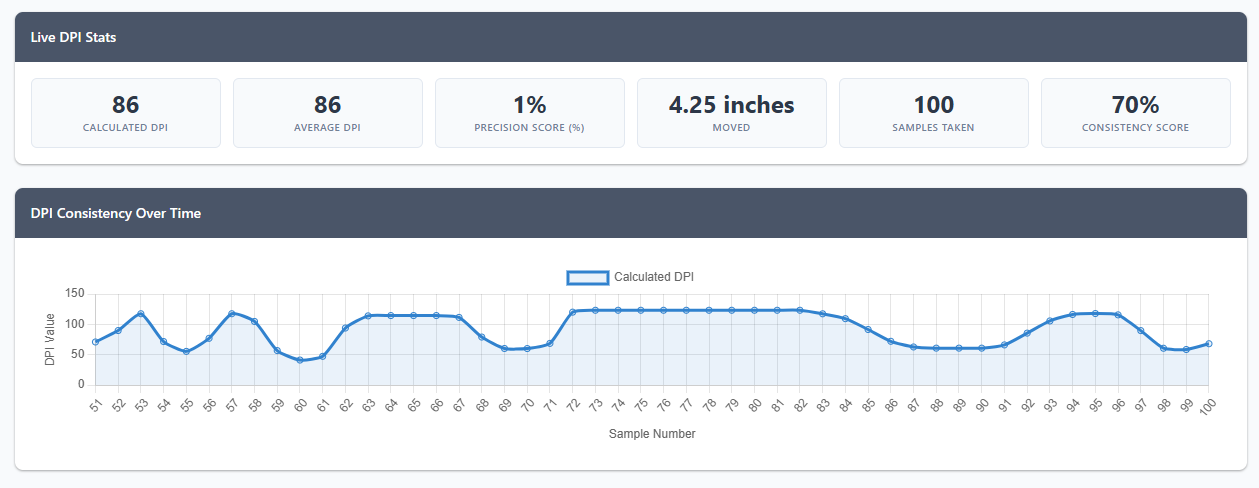
Calculated DPI: The exact number of pixels your mouse moved per inch of physical movement. Higher = faster cursor speed.
Precision Score: Percentage of how straight your movement was (100% = perfect straight line – critical for gaming accuracy).
Consistency Score: How stable your DPI was during movement (high score = reliable mouse performance).
Consistency Chart: Shows DPI fluctuations – drops/spikes mean your mouse sensor is inconsistent (common with cheap mice).
Troubleshooting Common Issues
- Wildly Fluctuating DPI: Clean the mouse sensor or switch to a non-reflective mouse pad
- Low Precision Score: Practice moving the mouse in a straight line, or check if your mouse has tracking issues
- Zero/No Results: Ensure the test area is active (click Start Test) and your mouse is connected properly
- Inconsistent Results: Close background apps that use mouse input (e.g., screen recorders, gaming overlays)
Note: Browser-based DPI testing is accurate for everyday use. For professional gaming/design work, consider a dedicated hardware DPI tester – this tool is perfect for quick, free checks!